Upload, annotate, score, and email marked papers from one screen. Built by a science teacher who got tired of losing every weekend to the marking pile.
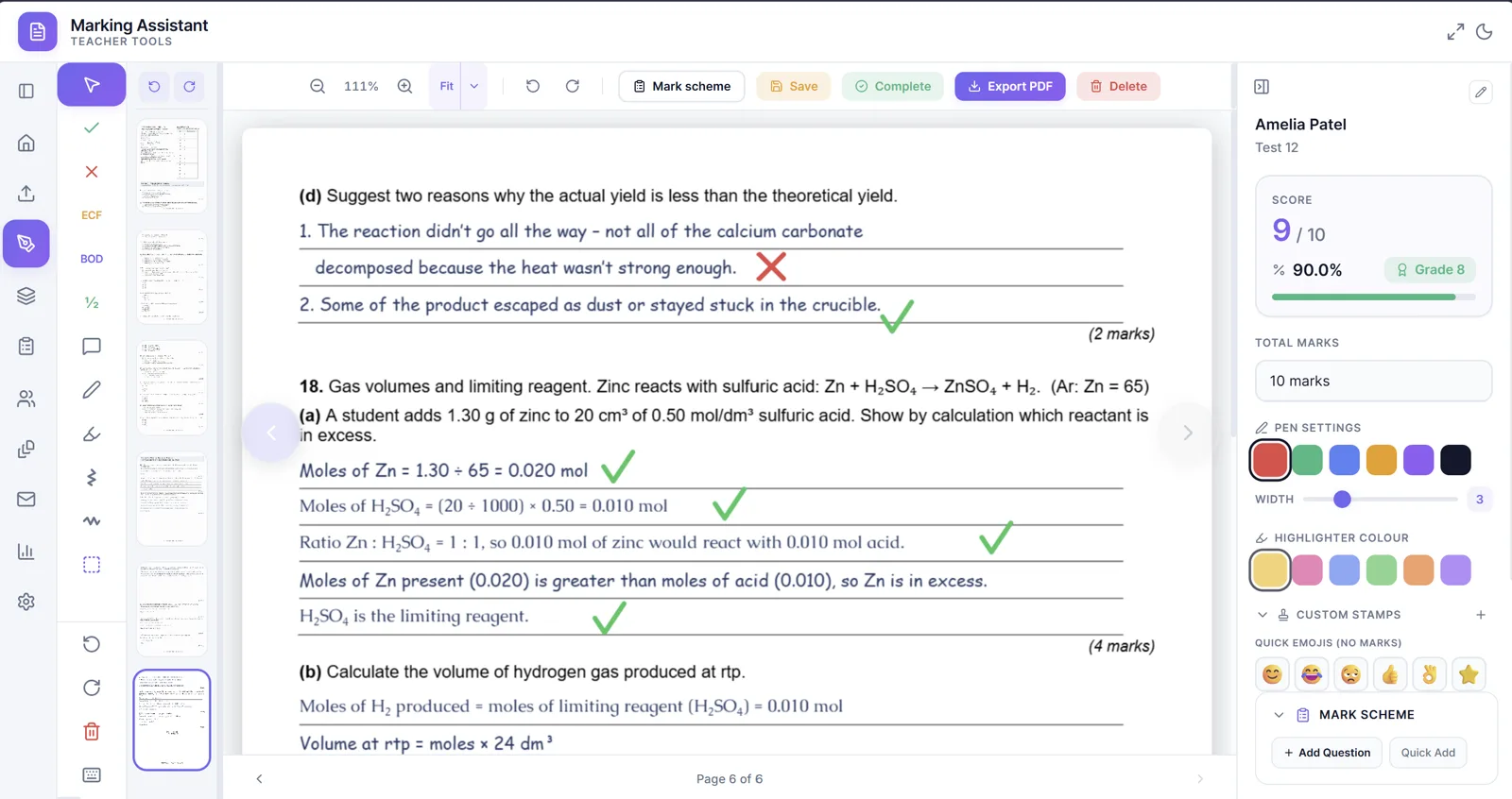
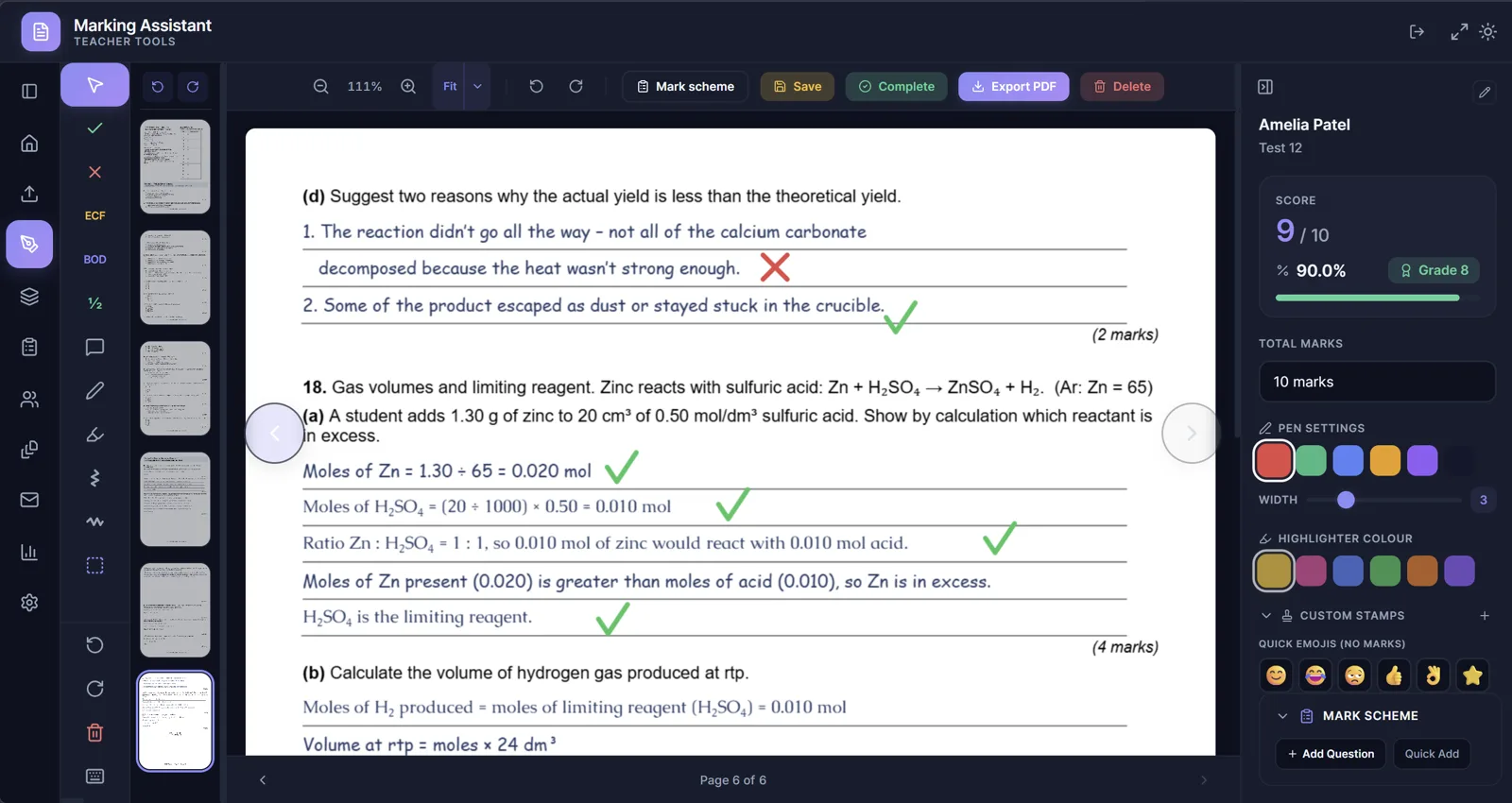
Real screenshot — tap Light / Dark to preview both themes.
Built for the curricula you actually teach
Curriculum-agnostic — set your own marks, grade boundaries, and rubric for any board.
A one-minute walkthrough of uploading papers, marking with auto-score, and emailing marked copies back.
A class of thirty mock papers takes most teachers six to eight hours by hand. Then there's the spreadsheet of scores, the grade boundaries, the emails to parents. Marking Assistant collapses that into one workflow — annotate the paper, the score updates itself, the email writes itself.
Every tick adds 1, every half-mark 0.5. Score, percentage, and grade update live as you mark — no spreadsheet tally at the end.
Mark one question across the whole class in a single sitting, without flipping back and forth between papers.
Email a marked paper back to a student — or the whole class at once via Gmail.
Built around the actual workflow of a busy classroom teacher — not a software engineer.
Tick, cross, ECF, BOD, half-marks, comment boxes, highlighter, freehand pen. All the symbols you actually use, on a smooth Fabric.js canvas.
Every tick adds to the score automatically. Set your grade boundaries once, save the template, reuse forever.
Upload a stack of scanned papers — the app reads the names, fuzzy-matches them to your class list, and files them automatically. For anything the OCR can't read cleanly, pick the student manually from a searchable list in seconds.
Mark Q3 across all 28 papers in a row. Auto-saves and jumps to the same question on the next student. Spotted a mark-scheme mistake halfway through? Jump back, re-mark that one question across every paper, and the scores update themselves.
Send marked PDFs to students and parents from your own Gmail. Bulk-send the whole class, with merge fields for name, score, grade, and your feedback.
See which questions tripped the class up. Track student progress over time. Spot the topics that need re-teaching before parents' evening.
Drop in a class list from your school MIS. Names, emails, classes — sorted into folders in under a minute.
Mark on the bus, in the staff room, waiting for an appointment — the app runs fully offline on any device with a browser. When you're back online, everything syncs to your cloud automatically. Works on Windows, Mac, iPad and Android.
Papers, annotations and grades are stored locally in your browser, not on our servers. No third-party analytics. No data harvesting. No AI model training on your students' work — and you can run the whole app fully offline if your school requires it.
Use any scanner or phone camera to digitise a pile of papers — drop them in and the app sorts them by student automatically. Even quicker: share a drop folder with the class, have them upload photos of their own work, and hundreds of papers land in the app in seconds.
We've all seen it. You hand a marked paper back, the student looks at the score, and that's it. The mark scheme — where the actual learning lives — barely gets a glance.
Marking Assistant gives you a simple way around it. Scan the papers, hand the unmarked originals back to the class, and have students mark their own work against the scheme first. Once they've done that, share your marked copy so they can compare. Now they have to read the mark scheme, and they can see exactly where their answer fell short of yours.
Works for end-of-topic tests, mocks, or any class quiz where formative feedback matters more than a grade in a spreadsheet.
Set your answer key once, scan or upload the answer sheets, and every paper is marked for you. Scores drop straight into the grade book alongside your written-paper marks — no adding up, no converting scores to percentages or grades, no spreadsheet juggling.
Drag in scanned papers, PDFs or Word docs. The app detects student names automatically, or you can pick the student manually from your class list — papers end up in the right folder either way.
Tap to tick, drag to highlight, type to comment. The score and grade update live as you mark. Use batch mode to fly through one question across the whole class.
Hit "Email all" — the marked PDFs go out from your own Gmail account to students and parents, with each student's name, score, grade and personalised feedback merged in. Outlook / Microsoft 365 send is on the roadmap.
"I marked an entire set of mocks in one evening instead of the whole weekend. Batch mode is genuinely a game-changer — once you've used it you can't go back."
"The OCR name detection alone saves me twenty minutes per class. I used to sort papers by hand. Now I just upload the stack and they file themselves."
"Sending marked papers home used to be its own job. Now I hit one button after marking and the whole class gets their feedback before the bell."
Quotes from early access teachers. Names changed for privacy.
Free trial covers 100 papers or 30 days, whichever comes first. No credit card, no auto-charge — when the trial ends the app keeps working, you just get a prompt to subscribe.
Try the full app before you commit.
Everything you need, all year round.
or £39/year — save over 30%
SubscribeLooking for a school-wide or department licence?
Papers, annotations, grades and class lists live locally on your device in your browser's IndexedDB. We don't run a server that holds this data.
What can leave your device, and only when you choose:
For the strictest privacy posture, use the Tesseract OCR fallback and leave cloud sync switched off. The app then runs fully offline against your local files only.
You get 100 papers or 30 days of use — whichever comes first. A "paper" is one upload: only the first page is OCR'd, so a multi-page exam still counts as one.
No credit card up front. When you hit either limit the app doesn't lock you out — it keeps working, but you'll see an upgrade prompt inviting you to subscribe. You can see exactly where you stand (papers used, days remaining) in Settings.
If 100 papers isn't enough for the way you mark, get in touch — I'd rather extend the trial than lose you before you've seen what it can do.
No. We don't train any AI models on your data, full stop — we don't even operate a server that could do so.
The third-party services the app optionally calls are all bound by contractual commitments that explicitly forbid training on customer data:
Can I switch it off? Yes — by choosing the Tesseract OCR engine and not enabling cloud sync, you can use the app without any student data ever reaching a third-party server. You control this in Settings.
Every effort has been made to make Marking Assistant as compliant as possible with GDPR and the data-protection frameworks schools typically work within. Papers, annotations and grades are stored locally on your device. We don't operate a server that holds student work and we don't use any of it to train AI models. Optional cloud features (handwriting OCR via Google Cloud Vision, Gmail send, Drive/OneDrive sync) only run when you choose to enable them, and the third-party providers behind them contractually commit not to use your data for training.
However, every school has its own policies. Before using Marking Assistant with real student work, it is your responsibility as the individual user to check with your school's IT department and confirm that the app meets your school's data protection and privacy requirements. If your IT team needs technical details, point them at our security overview or email us for a one-page Data Protection Overview covering what data is handled, where it lives, sub-processors and AI-training commitments.
Join the early-access teachers already saving hours per class. Free during beta. No credit card. Lock in your spot before paid plans launch.
We'll only email you about Marking Assistant. Unsubscribe anytime.